Remove Orphaned Cloudflare Workers Builds Checks
Remove a deleted Worker's failing GitHub build check through the Cloudflare Builds API, while keeping the working Pages project connected and deploying.
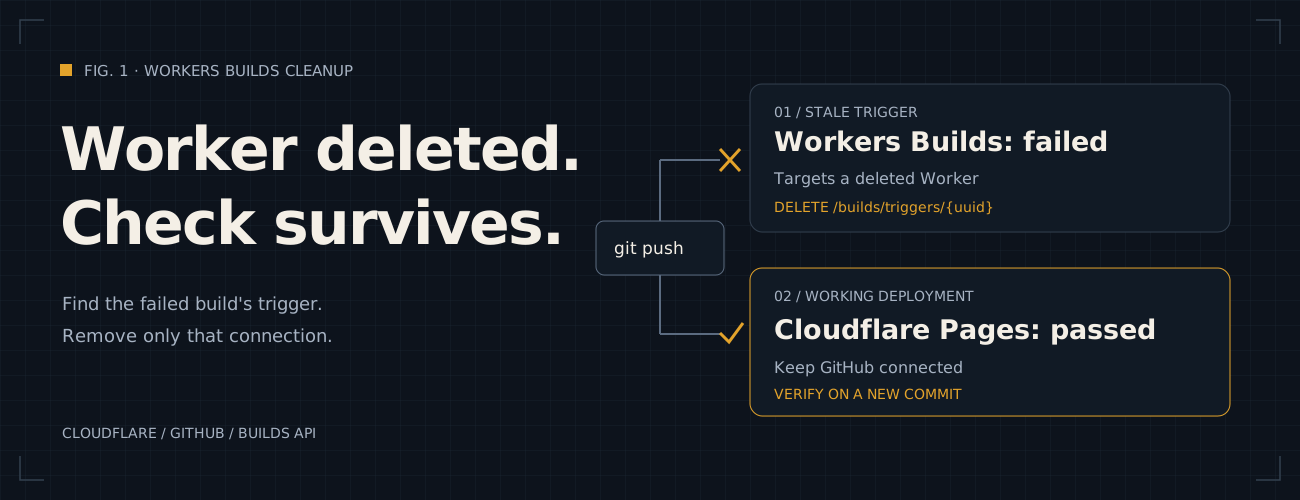
I deleted a Git-connected Cloudflare Worker before disconnecting its repository, then switched the site to Pages.
I used the same name for the deleted Worker and the new Cloudflare Pages project.
Every GitHub push still started two checks: Pages deployed successfully, but Workers Builds failed because its
Worker no longer existed. Removing the orphaned build trigger through the
Cloudflare Builds API (opens in a new tab) stopped the unwanted
check. I verified the result by pushing another commit to the next branch on November 2, 2026.
TL;DR: use the failed build ID to identify its trigger, delete only that trigger, then verify a new push still deploys Pages without creating the deleted Worker’s check.
This applies if:
- GitHub: Each new push creates a failing
Workers Builds: <deleted-worker>check. - Cloudflare: The old Worker has been deleted, and a replacement Pages project or Worker uses the repository.
- Error: The check says
Preview creation failed: This Worker does not exist on your account. - Access: You can create a Cloudflare User API Token for the affected account. The commands come in PowerShell and Bash.
How do I recognize an orphaned Workers Builds check?
Open the checks for a recent commit. In my case, the failed check finished immediately, while the Pages deployment and repository CI passed. Following the check’s Worker link opened a dashboard page saying the Worker could not be found.
| Check or page | Before cleanup | After cleanup, on a new commit |
|---|---|---|
Workers Builds: <deleted-worker> |
Failed: the Worker did not exist | No new check created |
| Cloudflare Pages | Deployed successfully | Still deployed successfully |
| Repository CI | Passed | Passed |
| Old Worker’s dashboard link | Worker not found | No need to recreate the Worker |
The screenshots I captured show this before-and-after pattern. The old commit had 2 successful checks and 1 failure. After cleanup, the new commit had 2 successful checks and no Workers Builds entry.
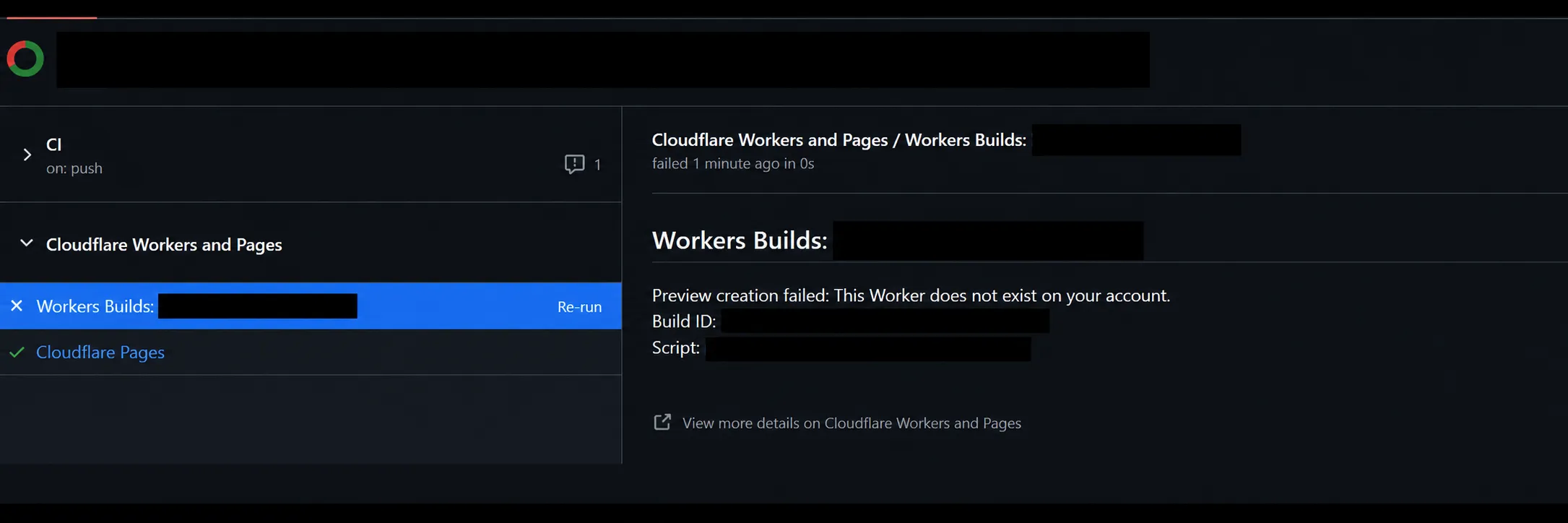
Before cleanup: the deleted Worker’s check fails, while Pages still deploys. Black bars hide identifying details.
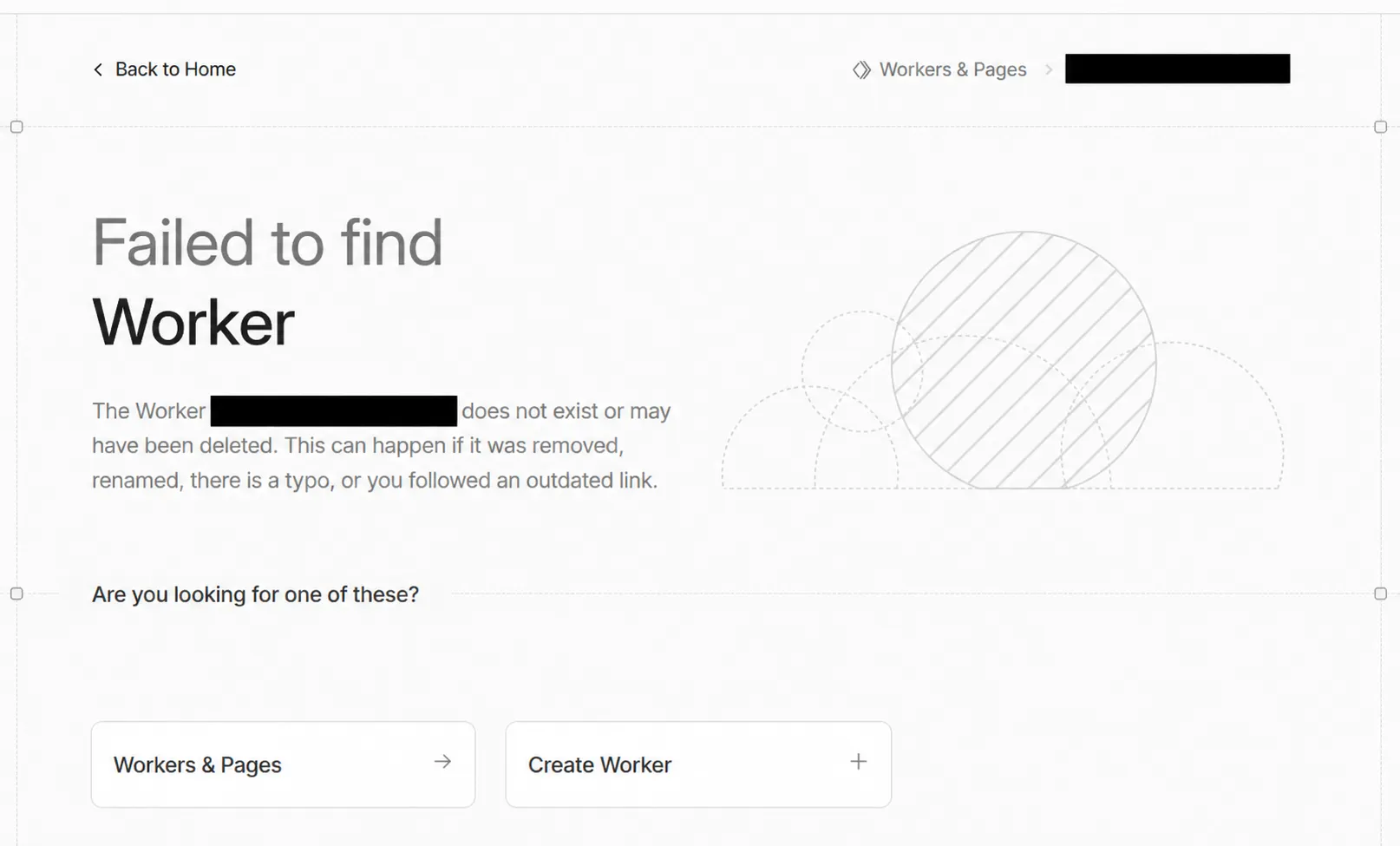
Following the failed check’s Worker link opened this missing-Worker page. The project name is hidden in the breadcrumb and explanation.
What sequence led to this?
-
Setup
Worker connected
I created a Worker and connected it to a GitHub repository through Workers Builds.
-
The mistake
Worker deleted
I deleted the Worker without disconnecting that Git integration first.
-
The replacement
Pages takes the name
I created a Cloudflare Pages project with the same name, on the same repository.
-
The result
Two checks on every push
Each push triggered the working Pages deployment and the old Workers Builds check.
Other users report the same check after recreating a project with the same name. A matching name does not identify
the stale connection. Cloudflare’s
build response reference (opens in a new tab)
defines external_script_id as a system-generated Worker tag, not the Worker’s name. I used the failed build’s
returned trigger and tag to choose what to remove.
Before you start
- Note the IDs: Record the failed Workers build ID, the affected Cloudflare account ID, and the GitHub repository owner and name. The build ID appears in the failed check’s details. Use the account ID from the Cloudflare dashboard.
- Keep Pages connected: Leave the working project alone. Uninstalling the shared Cloudflare Workers and Pages GitHub App or removing its repository access can interrupt that deployment.
- Use a short-lived token: For the affected account only. Keep its value out of Git, screenshots, chat and shell command history. Step 2 prompts for it without displaying it.
- Review before deleting: Check the repository, Worker tag and trigger UUID. The delete-trigger API (opens in a new tab) also cancels unfinished builds belonging to that trigger.
Step 1: Create a User API Token
As of November 2026, open My Profile > API Tokens (opens in a new tab), create a custom
User API Token, and grant Account > Workers Builds Configuration > Edit. Restrict its account resources to the affected
account. The API reference calls the accepted write permission Workers CI Write.
Cloudflare’s Builds API prerequisites (opens in a new tab)
require a user-scoped token. Account-scoped tokens are not supported. In my case, an Account API Token returned
12006: Invalid token; switching to a User API Token allowed the lookup.
Workers Scripts > Read is needed only if you use the separate Workers Scripts API to find a Worker tag. Here,
the failed build supplies the tag, including for the deleted Worker. No Pages or DNS permission is needed for
this cleanup.
What did my token policy contain?
My dashboard summary showed a token named Temp, with Workers Builds Configuration: Edit for one account.
It allowed all source IP addresses and had no expiration. For a one-time cleanup, I recommend setting a short
expiry when creating the token, or revoking it after the new-push check.
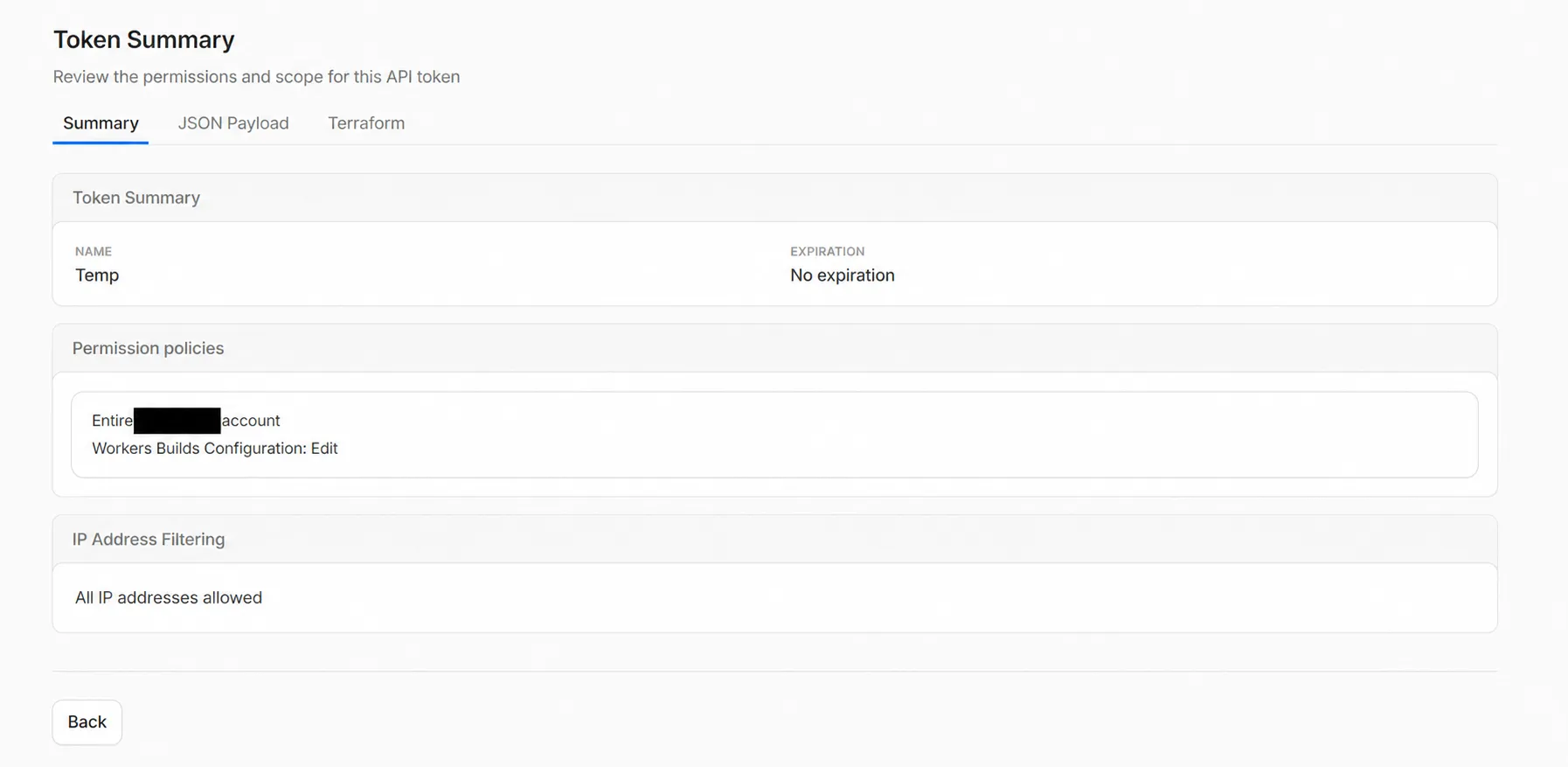
The token policy I used. The account name is hidden; the permission and scope remain visible.
The dashboard’s JSON export used permission-group ID 2e095cf436e2455fa62c9a9c2e18c478. This is a permission
identifier, not the secret token value. Here is the same policy with the account ID replaced by YOUR_ACCOUNT_ID:
{ "name": "Temp", "condition": {}, "policies": [ { "effect": "allow", "resources": { "com.cloudflare.api.account.YOUR_ACCOUNT_ID": "*" }, "permission_groups": [ { "id": "2e095cf436e2455fa62c9a9c2e18c478" } ] } ]}The resource key limits the policy to that account. The "*" value does not grant every permission: the
permission_groups entry selects the allowed operation group. This JSON is a token-creation policy, not the
Bearer token to paste into PowerShell.
The dashboard also offered this Terraform representation. I created the token through the dashboard; I did not
apply this Terraform example. Replace YOUR_ACCOUNT_ID with the same affected account ID:
resource "cloudflare_api_token" "workers_builds_cleanup" {  name = "Temp"
  policies = [{    effect = "allow"    permission_groups = [{      id = "2e095cf436e2455fa62c9a9c2e18c478"    }]    resources = jsonencode({      "com.cloudflare.api.account.YOUR_ACCOUNT_ID" = "*"    })  }]}
Step 2: Enter your IDs and the token
Nothing sent to Cloudflare
Run steps 2 to 6 in one terminal window, because each step uses the values from the one before it. Pick your shell
below; the choice applies to every step. The Bash version needs curl and jq.
$ErrorActionPreference = 'Stop'$cfAccount = Read-Host 'Cloudflare account ID'$cfBuild = Read-Host 'Failed Workers build ID'$cfBase = "https://api.cloudflare.com/client/v4/accounts/$cfAccount"$cfToken = Read-Host 'Cloudflare User API Token' -AsSecureString$cfHeaders = @{ Authorization = 'Bearer ' + [Net.NetworkCredential]::new('', $cfToken).Password}$ErrorActionPreference = 'Stop'makes an API error stop the command instead of carrying on with empty values.Read-Hostasks for the two IDs.$cfBasebuilds the start of every API address from your account ID.-AsSecureStringhides the token as you type, so it stays out of the screen and the shell history.$cfHeadersis the login header sent with each request. Nothing has contacted Cloudflare yet.
read -rp 'Cloudflare account ID: ' CF_ACCOUNTread -rp 'Failed Workers build ID: ' CF_BUILDCF_BASE="https://api.cloudflare.com/client/v4/accounts/$CF_ACCOUNT"read -rsp 'Cloudflare User API Token: ' CF_TOKEN; echocf() { curl -sS -H @<(printf 'Authorization: Bearer %s\n' "$CF_TOKEN") "$@"; }read -rpasks for the two IDs.CF_BASEbuilds the start of every API address from your account ID.read -rsphides the token as you type, so it stays out of the screen and the shell history.cfis a small function that callscurlwith the login header. The header comes fromprintf, so the token never appears on a command line that other processes could read. Nothing has contacted Cloudflare yet.
Step 3: Read the failed build
Read-only
This request asks Cloudflare which trigger started the failed build, through the get-build endpoint (opens in a new tab).
$cfResponse = Invoke-RestMethod -Headers $cfHeaders ` -Uri "$cfBase/builds/builds/$cfBuild"$cfTrigger = $cfResponse.result.trigger$cfTrigger.repo_connection | Format-List provider_account_name, repo_name$cfTrigger | Format-List trigger_uuid, trigger_name, external_script_idInvoke-RestMethodsends the request and parses the JSON answer.$cfTriggerkeeps only the part of the answer that describes the trigger.Format-Listprints who owns the repository, then which trigger and Worker tag the build belongs to.
provider_account_name : example-ownerrepo_name             : example-site
trigger_uuid : 182bd5e5-6e1a-4fe4-a799-aa6d9a6ab26etrigger_name : example-triggerexternal_script_id : dd7160bb9cef458093557736f4b9e75bCF_RESPONSE=$(cf "$CF_BASE/builds/builds/$CF_BUILD")jq '.result.trigger | { owner: .repo_connection.provider_account_name, repo: .repo_connection.repo_name, trigger_uuid, trigger_name, external_script_id}' <<< "$CF_RESPONSE"cfsends the request, andCF_RESPONSEkeeps the JSON answer for the next step.jqprints who owns the repository, then which trigger and Worker tag the build belongs to.
{ "owner": "example-owner", "repo": "example-site", "trigger_uuid": "182bd5e5-6e1a-4fe4-a799-aa6d9a6ab26e", "trigger_name": "example-trigger", "external_script_id": "dd7160bb9cef458093557736f4b9e75b"}Check that the owner and repository are yours before you go on. If either is wrong, you have the wrong build ID. Stop here; nothing has changed.
Step 4: Delete only that trigger
Changes your Cloudflare account
This is the only step that changes anything. It calls the delete-trigger endpoint (opens in a new tab), and asks you to type the trigger UUID first, so a stray paste cannot delete it.
$cfTriggerId = $cfTrigger.trigger_uuid$cfWorkerTag = $cfTrigger.external_script_id$cfConfirm = Read-Host 'Type the trigger UUID to delete it'if ($cfTriggerId -and $cfConfirm -ceq $cfTriggerId) { Invoke-RestMethod -Method Delete -Headers $cfHeaders ` -Uri "$cfBase/builds/triggers/$cfTriggerId"} else { 'Confirmation did not match. Nothing deleted.'}$cfTriggerIdsaves the trigger UUID for this step and the next.$cfWorkerTagsaves the Worker tag for step 5.-ceqcompares the text exactly, including upper and lower case. If it does not match, or the trigger is empty, the DELETE request never runs.
A successful delete prints a response where success is True.
CF_TRIGGER_ID=$(jq -r '.result.trigger.trigger_uuid // empty' <<< "$CF_RESPONSE")CF_WORKER_TAG=$(jq -r '.result.trigger.external_script_id // empty' <<< "$CF_RESPONSE")read -rp 'Type the trigger UUID to delete it: ' CF_CONFIRMif [ -n "$CF_TRIGGER_ID" ] && [ "$CF_CONFIRM" = "$CF_TRIGGER_ID" ]; then cf -X DELETE "$CF_BASE/builds/triggers/$CF_TRIGGER_ID" | jq .successelse echo 'Confirmation did not match. Nothing deleted.'fiCF_TRIGGER_IDsaves the trigger UUID for this step and the next.CF_WORKER_TAGsaves the Worker tag for step 5.[ "$CF_CONFIRM" = "$CF_TRIGGER_ID" ]compares the text exactly, including upper and lower case. If it does not match, or the trigger is empty, the DELETE request never runs.
A successful delete prints true.
Do not repeat the deletion if the next step fails.
Step 5: Check the trigger is gone
Read-only
This lists the triggers that are left for the deleted Worker’s tag.
$cfRemaining = Invoke-RestMethod -Headers $cfHeaders ` -Uri "$cfBase/builds/workers/$cfWorkerTag/triggers"$cfRemaining.success@($cfRemaining.result).trigger_uuid -contains $cfTriggerId$cfRemaining.result | Format-List trigger_uuid, trigger_name$cfRemaining.successshould printTrue, which means Cloudflare answered the request.-containsasks whether the deleted trigger is still listed, and should printFalse.Format-Listprints any other triggers for that tag. Nothing afterFalsemeans none are left.
TrueFalsecf "$CF_BASE/builds/workers/$CF_WORKER_TAG/triggers" | jq --arg id "$CF_TRIGGER_ID" ' .success, ([.result[]?.trigger_uuid] | index($id) != null), (.result[]? | {trigger_uuid, trigger_name})'.successshould printtrue, which means Cloudflare answered the request.index($id) != nullasks whether the deleted trigger is still listed, and should printfalse..result[]?prints any other triggers for that tag. Nothing afterfalsemeans none are left.
truefalseIf another trigger is listed, leave it for now and go to step 7. If the stale check comes back, take that new failed
build’s ID and repeat from step 2, so each deletion starts from a build you have checked. If you get 404 or a
permission error, stop and read the response. Do not swap in the Worker’s name to make a request pass.
Step 6: Clear the token from the window
Nothing sent to Cloudflare
Remove-Variable cfHeaders, cfTokenunset CF_TOKENunset -f cfThis removes the token from the shell session. It does not revoke the token, which step 7 covers.
Step 7: Verify a new GitHub push
Push a normal commit to a branch that previously produced the stale check. I used a documentation commit on
next; there was no need for an empty test commit.
- Open the checks for that new commit.
- Confirm the old
Workers Builds: <deleted-worker>check is not created. - Confirm Cloudflare Pages still reports a successful deployment for the new commit.
- Confirm repository CI still passes and the Pages deployment remains reachable with its existing access controls.
- Revoke the temporary cleanup token when verification is complete.
I confirmed that the new push no longer created the Workers Builds check, while Pages and CI both passed. Historical failures can remain attached to old commits. Judge cleanup by a new push, not by reopening an old check.
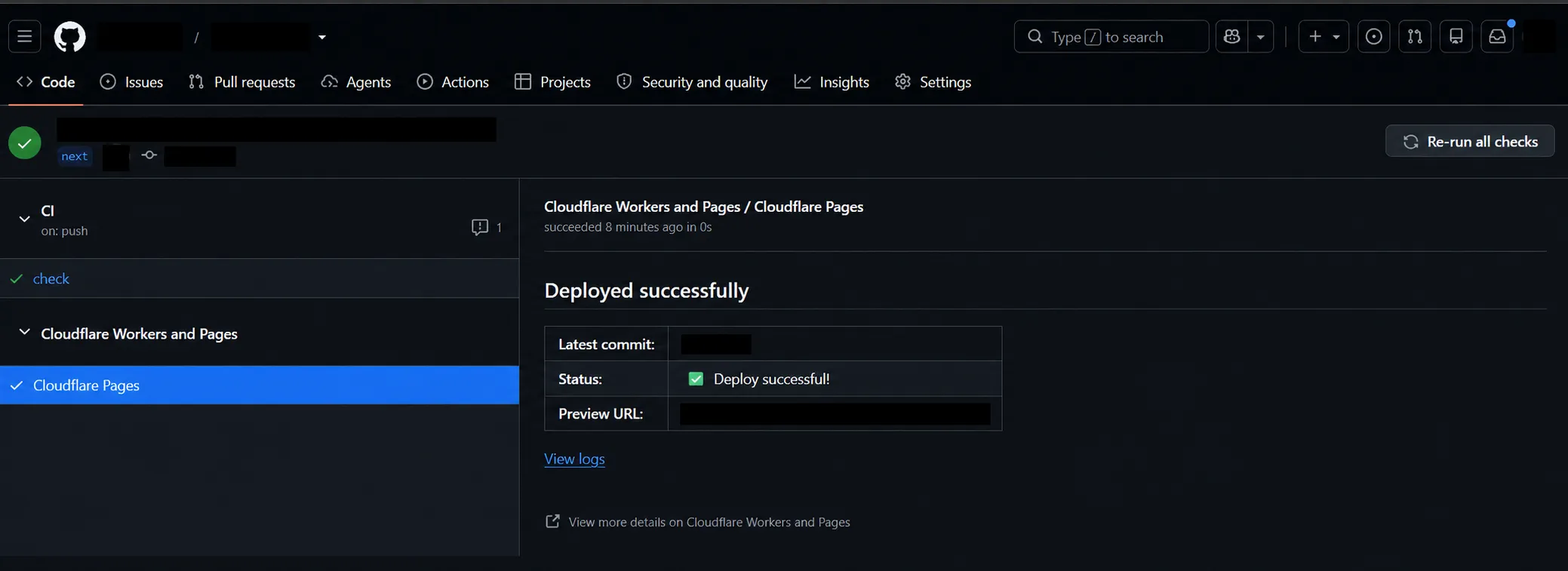
After cleanup: a fresh push shows successful CI and Pages checks, without the old Workers Builds entry.
Which ID belongs in each API request?
These identifiers refer to different resources. I retrieved the trigger UUID and Worker tag from the build response, rather than guessing either from the dashboard name.
| Operation | Method and path, after /client/v4/accounts/{account_id} |
Identifier |
|---|---|---|
| Inspect failed build | GET /builds/builds/{build_uuid} |
Build ID from the GitHub check |
| Delete its trigger | DELETE /builds/triggers/{trigger_uuid} |
result.trigger.trigger_uuid |
| List remaining triggers | GET /builds/workers/{external_script_id}/triggers |
result.trigger.external_script_id |
The get-build endpoint returns trigger settings and source metadata. The list-triggers endpoint (opens in a new tab) uses the Worker tag. A trigger name can look like an internal ID, so do not rely on its display name alone.
What if the stale check still appears?
Capture the new commit ID, new failed build ID, trigger UUID and returned trigger list. Ask Cloudflare Support to inspect the remaining Workers Builds connection or preview configuration. Never include the token in that report.
I would leave the working Pages integration in place while investigating. Changing its build command does not target the old Workers Builds trigger.
Other users have described similar symptoms:
- Cloudflare developer-platform issue #80 (opens in a new tab) reports a deleted Worker’s preview check continuing after repository disconnection. Recreating and reconnecting the Worker changed the failure, but disconnecting it brought the missing-Worker error back.
- Orphaned Workers Builds Git integration after deleting a Worker (opens in a new tab) describes Pages deploying successfully while a deleted Worker’s check fails on every push.
- Orphaned Workers Builds check surviving project deletion (opens in a new tab) reports that reconnecting Pages, reinstalling the GitHub App and recreating the Worker did not remove the check.
Those are other users’ reports, not cleanup methods I verified. My confirmed result is the targeted API deletion followed by a fresh push.
What I’d do differently
I would disconnect the Worker’s Git repository before deleting the Worker, then check the next push before connecting a replacement project. That is a precaution, not a guarantee against every orphaned-trigger case. If a stale check survives, I would inspect its build ID before changing the working deployment.